Extra Security…

Red team + Blue team + Writing
One of the ways to protect your account on any platform is by using 2-factor authentication. You may be wondering why you even need that extra security in the first place right? I get it enabling it can be stressful and tiring cause all you want to do is just to log in, do your business and have fun right? But before going all
You may want to take a deep breath, relax, read this article and understand why you should go the extra step. Let’s get into it shall we?
What Does 2FA Even Mean?
2-factor authentication is a security system that requires 2 separate forms of identification to access a service. What this simply means is using 2 different methods to verify your identity.
Imagine trying to make a purchase online using your credit/debit card, most times after inputting your card details, you get redirected to a new page, where they ask for a token method, and then send you an OTP code.
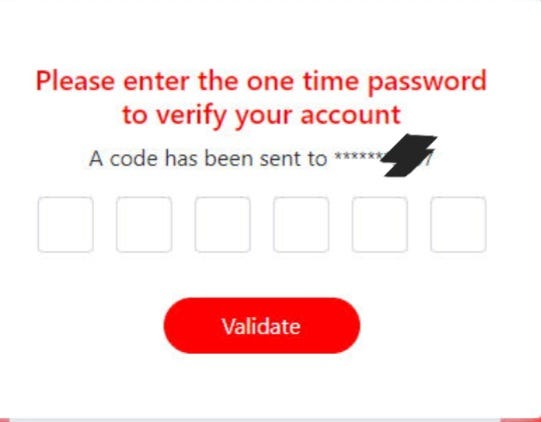
They are simply trying to verify that you are the one behind the purchase, now that is an example of 2FA.
Now there are different ways of 2FA:
- Push Notification
- U2F/WebAuthn Security Key
- Email Link
- Hardware OTP Token
- Software OTP Token
- SMS Passcode
- QR Code
- Biometrics (Fingerprinting, Face Recognition, and more)
However one of the best ways of adding that extra security to your apps, the method that deserves to go

Is the use of an Authenticator App–Google Authenticator app, Duo, Microsoft Authenticator Apps, just to mention a few–Using an Authenticator app guarantees your account safety, as no one can access be granted access without providing the code reflected on your Authenticator app for that account, so in the case of a new phone or whatever, you’d have to call the app/website, answer some security questions–please read up the article before this–and fulfill some requirements before you are granted access back into the account. Now there are many benefits such as:
- The code becomes invalid after 30 seconds and previous codes cannot be used making it very difficult for someone to access your account.
- A network connection is not needed, so it’s kind of a secret in way.
Okay I hope I’ve got your attention now
So you may be wondering why do I need 2FA in the first place, well easy peasy question.
If someone manages to get your account details to login, they’ll still have to provide that code before they are given access, inorder words, they’ll be like.

Plus if have old accounts that you abandoned, having some form of 2FA would make it harder for an attacker to cause havoc on your personal details.
So go ahead and enable 2FA on your accounts and I hope you learnt something or 2 and had a laugh or 2.
Feel free to like, share and leave a comment.
Thank you


